Workspace
Where an organization’s structure lives: who’s on the team, how workspaces and environments are organized, each environment’s API key, and a log of what happened.
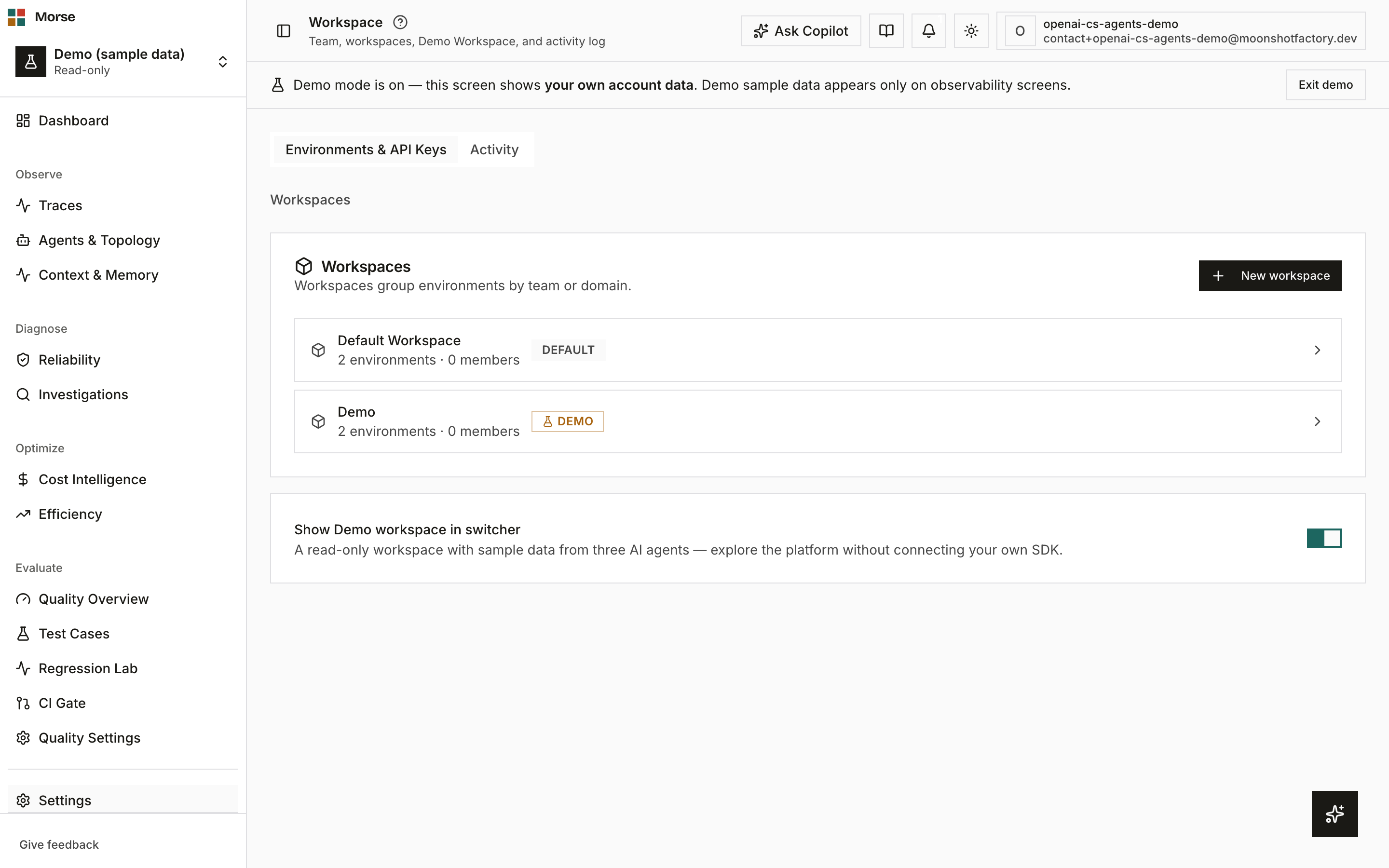
What you see
Up to three tabs, gated by plan and by whether an org is selected.
Team
Members and pending invitations for the current org — a role badge per member (owner / admin /
member / viewer), plus invite and remove actions. This tab only appears on plans with team
management — it’s the destination the old /settings/team URL redirects into.
Environments & API Keys
A drill-down: Workspaces group environments, and each environment holds exactly one API key. Renaming an environment only changes its label; rotating a key issues a new one and gives the old key a 24-hour grace window before it stops working, unless you choose to expire it immediately (for a compromised key).
A Show Demo workspace in switcher toggle sits below the workspace list — it controls whether the read-only Demo workspace appears in your workspace switcher, not your own data.
Activity
The organization’s activity log, rendered inline on this tab.
Below it, Morse support access lists every occasion a Morse support engineer viewed your workspace as one of your members — when, which engineer, which account, and from which IP. Owners and admins only; the panel is not shown to other members. Most organizations will only ever see the empty state, which is the point: if the list is not empty, you can see exactly who looked and when. Support sessions can only be started by staff holding a capability granted separately from ordinary admin access, and every session start and end is recorded here whether or not anyone reads it.
Workspace switcher
The sidebar switcher stays out of the way for a solo user — it shows only the fixed “Your workspace” and “Demo” entries. Once you belong to more than one organization (you were invited into a shared org, for example), it also lists one row per org: your own is labeled Personal, any shared org shows its real name — never the raw word “org” or “organization”.
How to use it
- Select a workspace to see its environments, then rotate or rename a key from there.
- Copy a rotated key immediately — it’s shown once.
- Use “Expire old key now” only if the previous key was compromised; otherwise the 24h grace window avoids breaking an in-flight deploy.
- Invite teammates and set their role from the Team tab, if your plan includes team management.
Before you have data
Team and workspace management require selecting an organization first — both the Team and Environments & API Keys tabs show a plain “Select an organization to manage {team members / workspaces}.” line instead of an empty table until one is selected.
Related
- Settings — your personal account: profile, security, danger zone.
- Integrations — where alert channels like Slack and PagerDuty are configured.