Billing
Your organization’s subscription: the current plan and its limits, usage against those limits this period, the full plan lineup, and payment history.
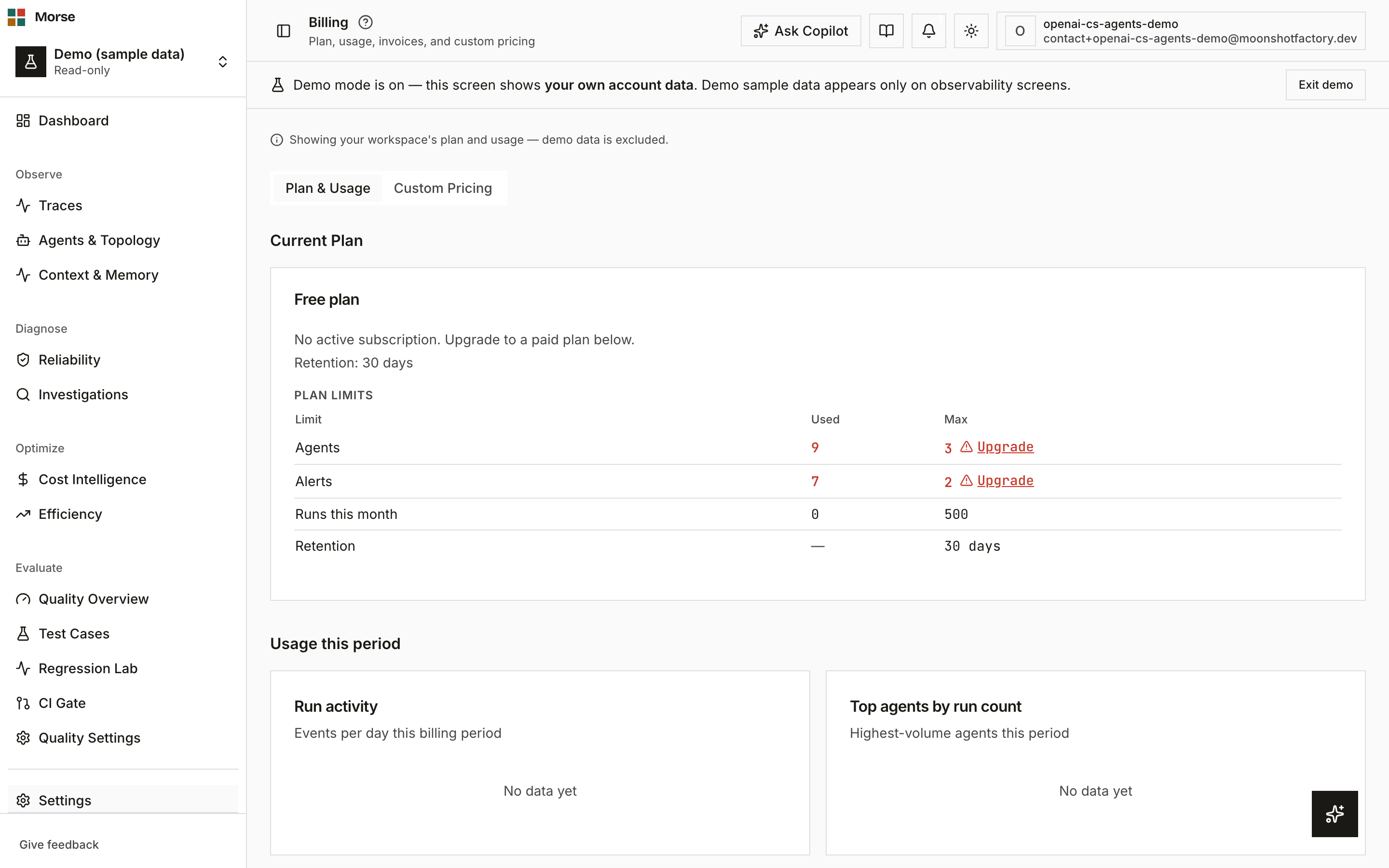
Billing always shows your real workspace’s plan and usage, even while demo mode is on — demo data never counts toward your limits.
What you see
A Plan & Usage tab (the default) and a Custom Pricing tab.
Current plan
Plan name, subscription status, and a renewal or cancellation date. If the plan is scheduled to cancel, a badge shows the date it ends instead of the renewal date.
Plan limits
A table of Agents, Alerts, Runs this month, and Retention — each row shows what you’ve used against the plan’s max, in real counts (not demo data). A row that’s over its max turns red and adds an inline Upgrade link.
Retention is 30 days on Free, rising to 60 / 90 / 180 days on Starter / Pro / Scale.
Usage this period
A run-activity bar chart and a top-agents-by-run-count list, both scoped to the current billing period. At 80% of your run quota a warning banner appears; it doesn’t block ingestion.
Available plans
A four-plan grid — Free, Starter, Pro, Scale — with a Monthly/Annual toggle (annual shows 2 months free). Picking a different plan opens a proration preview before it takes effect; picking Free means canceling, since Free has no Stripe price.
Downgrading is blocked if your current agent or workspace count exceeds the target plan’s limits — the error names which resource to trim and by how much before the switch can proceed (ADR-031 D6). Seats never block a downgrade; every tier has unlimited seats.
Payment history
A table of past invoices — date, amount, status, and a download link (PDF, generated on demand if no hosted invoice URL exists).
How to use it
- Check the Plan limits table for anything running close to its max, then use the inline Upgrade link.
- Switch Monthly/Annual before picking a plan — the grid’s prices update to match.
- Changing plan (not to/from Free) shows a proration preview — confirm to apply it immediately.
- Use Manage subscription on your current plan to open the billing portal for payment methods and cancellation.
- Custom Pricing is a separate tab for defining manual per-model rate overrides that win over the catalog when Morse computes trace cost.
Before you have data
No invoices yet shows as plain text, not an empty table: “No invoices yet.”