Cases
Found a bad response in production? Save that exact trace as a regression case in one click — no separate test-writing workflow. This screen is where those cases live, grouped into datasets you replay and gate on.
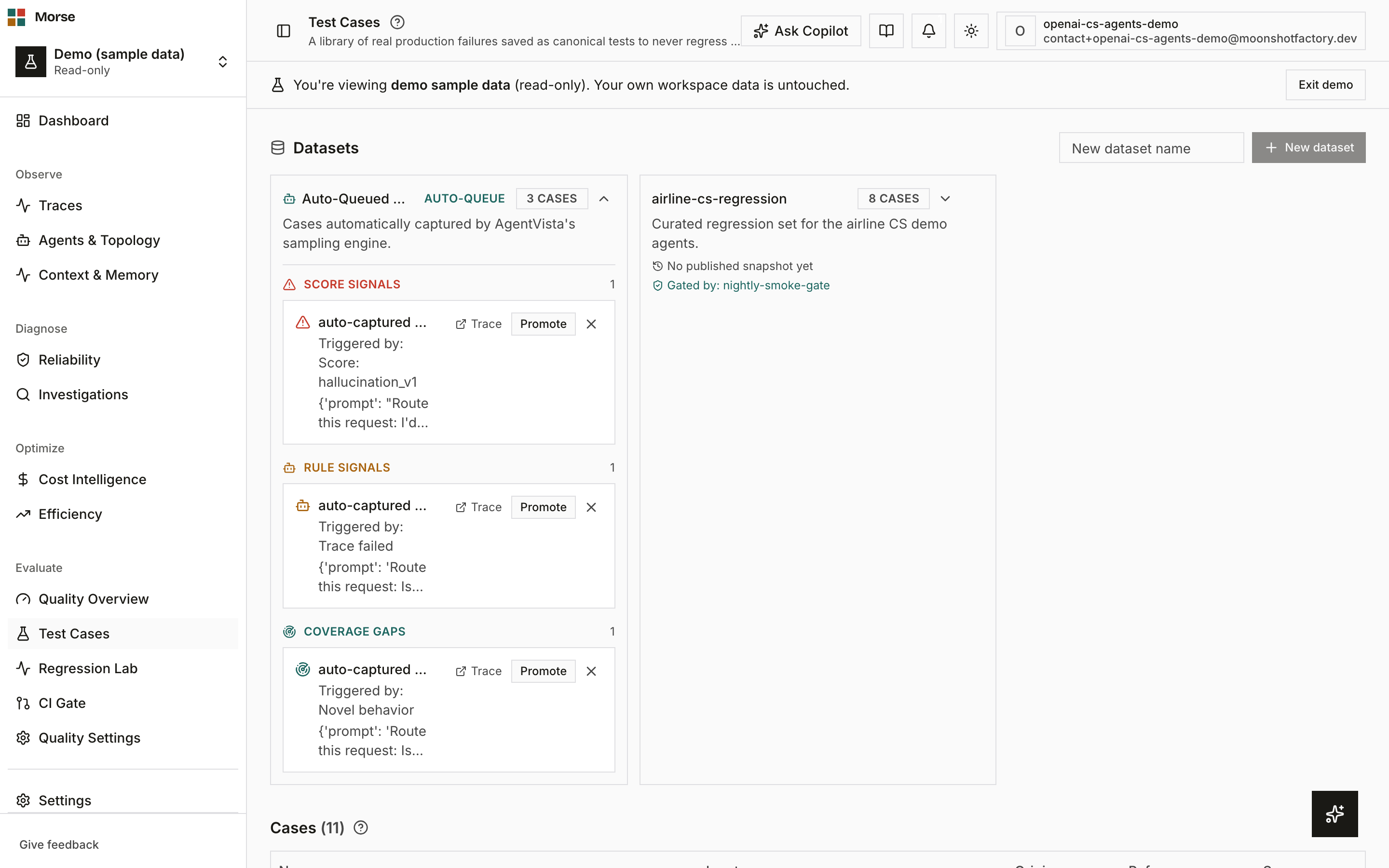
What you see
Two sections stack top to bottom: Datasets, then a flat table of every case.
Datasets
A card grid, one card per dataset, each showing its case count.
The system-managed Auto-Queue dataset carries a badge and a robot icon and can’t be deleted — it’s populated automatically by auto-sampling rules.
Expand a card to see version history (publish a snapshot to lock in the current case list as a new version, with added/removed counts against the prior version) or, for the Auto-Queue dataset, its review inbox instead.
Non-system datasets also show a coverage-gap panel: agent attribution, source-tag coverage, and reference-output coverage, each flagged when more than half the cases are thin on that dimension. Scorer- and failure-category coverage aren’t shown — the case model doesn’t carry per-case scorer results yet, and the page won’t fabricate that view.
Cases
A table of every case: name, input summary, an origin badge (From trace, Manual, or Imported), a reference-availability badge, and a link back to the source trace when one exists.
Arriving from a trace’s “Save as Eval Case” flow with ?source_trace_id= filters the table to just
that trace’s cases, with a Clear filter affordance.
Deleting a dataset removes only the grouping — its cases stay in the system and remain usable by other datasets. Deleting a case removes it everywhere, including any dataset it belongs to.
How to use it
- Open a trace and click Save as Eval Case to snapshot its input into a reusable case — a reference/expected output is optional, and most scorers run without one.
- Create a new dataset by name, then expand any card to publish a version snapshot once its case list is ready to lock in for CI gating.
- Watch the coverage-gap panel on a dataset you’re building for CI — a thin dimension there is a blind spot a gate built on that dataset won’t catch.
- Review the Auto-Queue dataset periodically; it fills automatically from auto-sampling rules and has its own daily cap.
Before you have data
With no cases yet, the table reads “No regression cases yet” and points you at the trace-level flow: “Open any trace and click ‘Save as Eval Case’ to turn production behavior into regression coverage.”
With no datasets yet, the grid reads “No datasets yet. Create one above to group cases for a future eval run.”
Related
- Regression Lab — replay a dataset and compare two runs statistically.
- CI Gate — bind a dataset to pass/fail thresholds that block a merge.
- Scoring — the auto-sampling rules that fill the Auto-Queue dataset.