Eval Settings
Configure which scorers run, how often, and write your own LLM-as-judge scorer in the UI — no code deploy required.
What you see
Three sections stack top to bottom: scorer sample rates, custom scorers, and auto-sampling rules.
Scorer sample rates
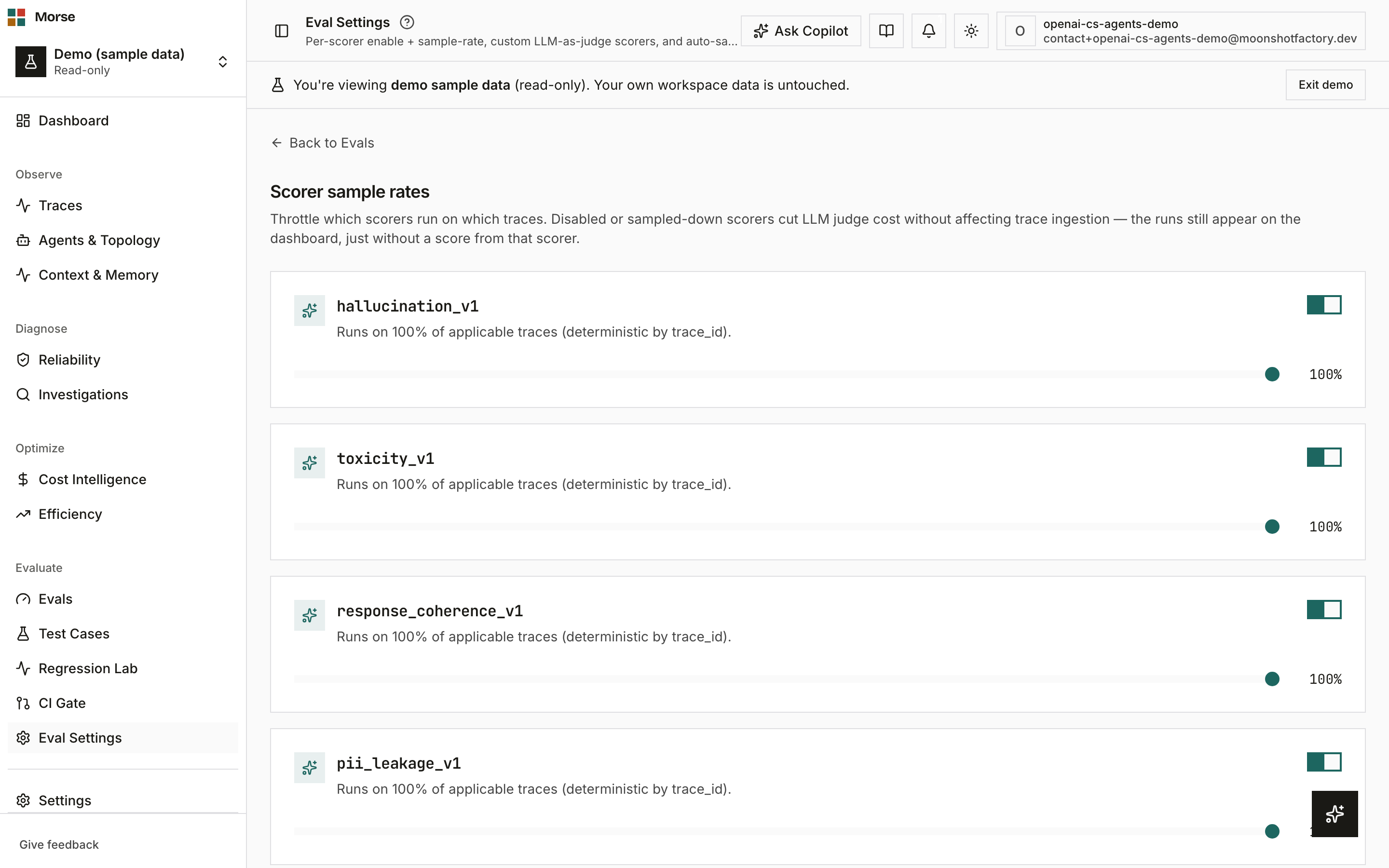
One card per registered scorer, each with an enabled toggle and a 0–100% sample-rate slider in 5% increments.
Sampling is deterministic by trace_id — the same trace always lands on the same side of the
sample line, and a disabled or sampled-down scorer only skips scoring, it never affects trace
ingestion.
Custom scorers
A list of your org’s LLM-as-judge scorers with create, edit, and delete. Each scorer is defined by
a name, a prompt template, a judge model (gpt-4o-mini or gpt-4o), an output format (pass/fail
or a 0–1 score), and — for the 0–1 format — pass/warn thresholds.
Custom scorers run alongside the built-in scorers on every applicable trace and feed the same quality verdict shown on Evals.
Auto-sampling
A master toggle, a score-trigger threshold (queue a case whenever a scorer returns warn/fail below it), four deterministic rule triggers, a fingerprint sampler, and a daily cap.
The four rule triggers: R1 trace failed, R2 a tool/function span failed, R3 a latency outlier against the agent’s rolling p95 (needs 100+ traces), and R4 context utilization above 85%.
The fingerprint sampler queues traces whose tool-call + outcome fingerprint hasn’t been seen before, broadening behavioral coverage rather than re-sampling the same shape of failure.
A daily cap limits how many cases get auto-queued per UTC day; once hit, the page shows a banner and new cases resume at midnight UTC.
How to use it
- Turn a scorer’s sample rate down (not off) to cut LLM-judge cost on a high-volume trace type while keeping some signal.
- Write a custom scorer for anything the built-in scorers don’t cover — tone, format compliance, a domain-specific rule — directly from the dialog, no deploy.
- Tune auto-sampling rule triggers to match what “worth reviewing” means for your agents; the fingerprint sampler is the one to enable if you want broader coverage rather than more of the same failure.
- Raise the daily cap if you’re hitting it and still missing cases you’d want reviewed.
Before you have data
Custom scorers show an empty state — “No custom scorers yet” — with a prompt to create one to run LLM-as-judge evaluations on your traces.