Settings
This is your personal account page — reached from the user menu, not the sidebar. It holds appearance, security, and the account-deletion flow. Team, workspaces, billing, and integrations live on their own pages under Settings.
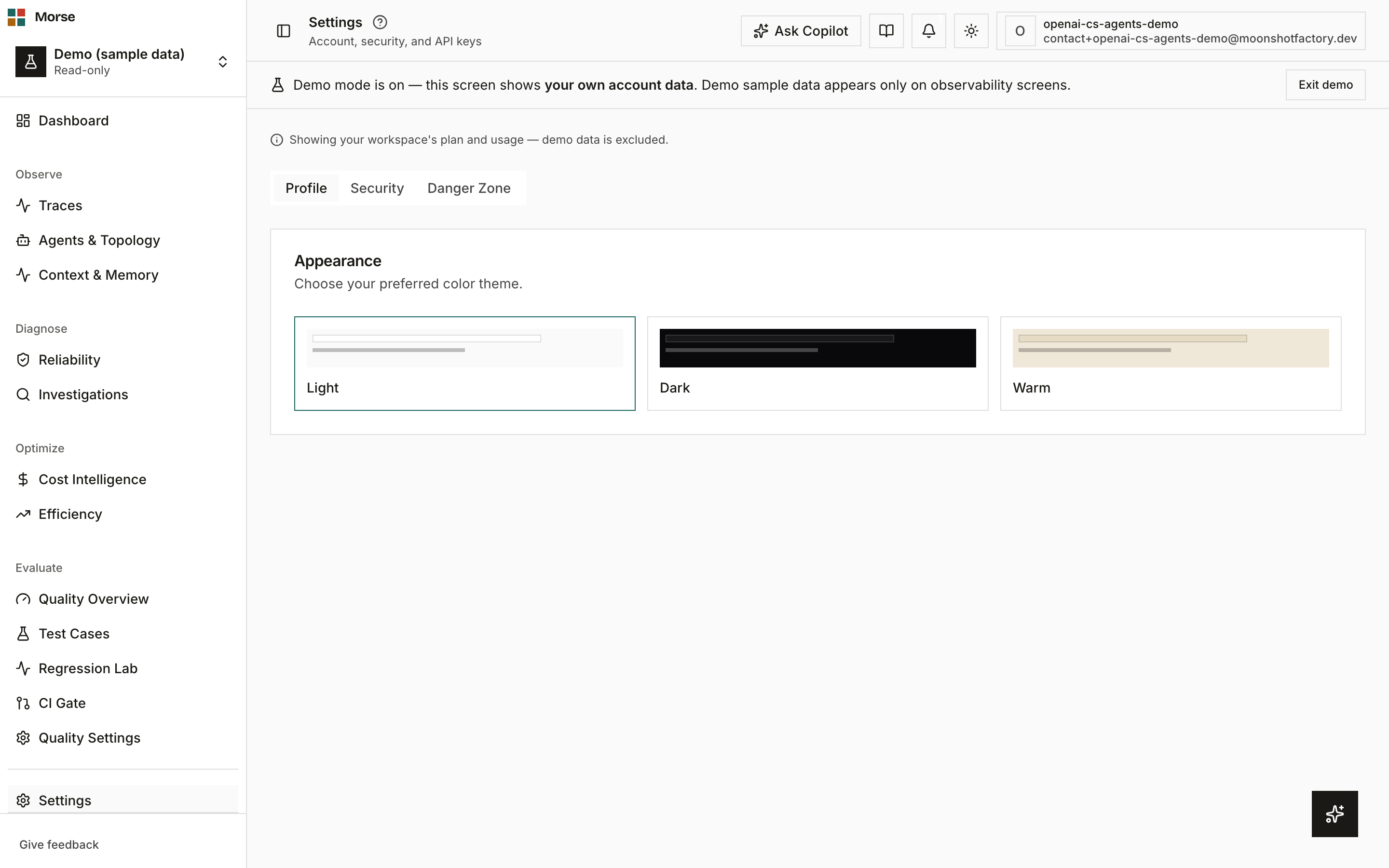
What you see
Three tabs hold the page’s content; the URL’s ?tab= query param keeps the active one on reload.
Profile
The Profile tab is where appearance lives today: an Appearance card with three theme swatches — Light, Dark, and Warm — that apply immediately when clicked.
Security
Two cards: Two-Factor Authentication and Change password.
- 2FA is TOTP-based. Enabling it shows a QR code (and a manual-entry secret) to scan with an authenticator app, then a 6-digit code to verify. Once enabled, you can view or regenerate one-time recovery codes, or disable 2FA entirely.
- Change password is a three-field form — current, new, confirm — validated against the same password schema used at signup.
Danger Zone
A single Delete Account action behind a confirmation dialog. How you confirm depends on how you sign in: accounts with a password re-enter it, and accounts that sign in only with Google or GitHub confirm by signing in with that provider again. Deletion is permanent and removes billing history and connected accounts along with the account itself — and, if you were the last person in your organization, the organization and everything in it.
How to use it
- Switch tabs to reach appearance, security, or account deletion — the tab persists across a
reload via
?tab=. - Pick a theme on the Profile tab; it applies instantly, no save step.
- Enable 2FA from the Security tab, then keep the recovery codes somewhere safe — each one works once.
- Deleting your account cannot be undone. You confirm with your password, or — if you only ever signed in with Google or GitHub — by signing in with that provider again.
Before you have data
Security starts honest about the “off” state rather than implying protection: 2FA reads “Two-factor authentication is not enabled. We recommend setting it up to protect your account.” until you complete setup.
Related
- Workspace — team members, environments, and API keys.
- Billing — plan, usage, and invoices.
- Integrations — alert routing and privacy controls.